
Architecture
IMP uses a split-control model:
- Operator: cluster-scoped reconciliation, API-state orchestration
- Agent: node-local runtime operations for Firecracker and VM networking
Core Resources
ImpVM: lifecycle of VM instancesImpNetwork: NAT, DNS, and integration surface for CNI behaviorImpVMSnapshot: save/restore VM state workflowsImpVMMigration: orchestrate VM movementImpWarmPool: prewarmed instances from snapshot baselinesRunner+RunnerPool: execution pool primitives
Written Architecture Docs
- System Context (L1)
- Container View (L2)
- Control Plane (L3)
- Data Plane (L3)
- K8s E2E Sequence (Technical)
- K8s E2E Failure Paths
Architecture Diagrams
Split-Control Overview
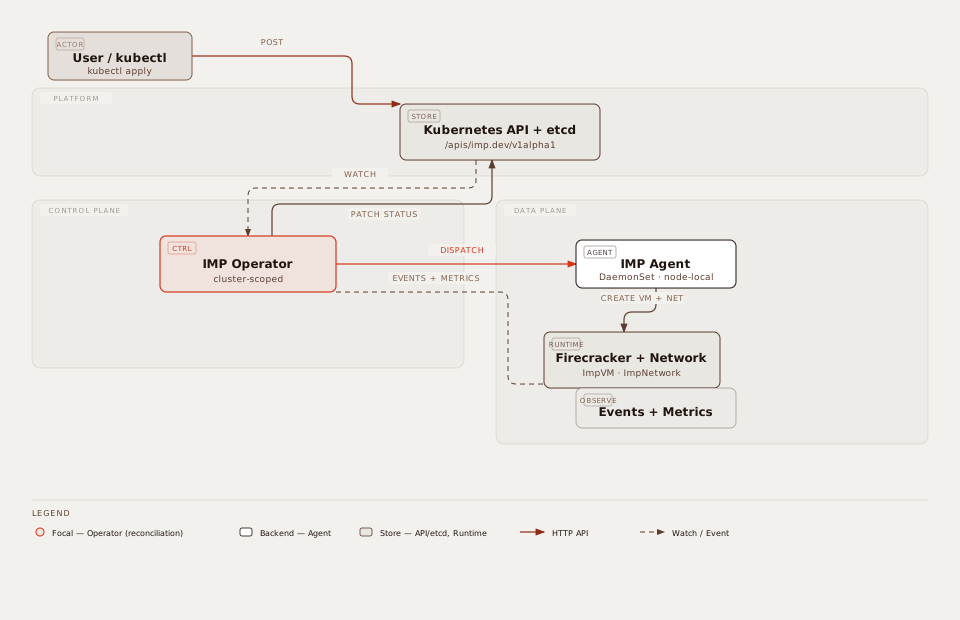
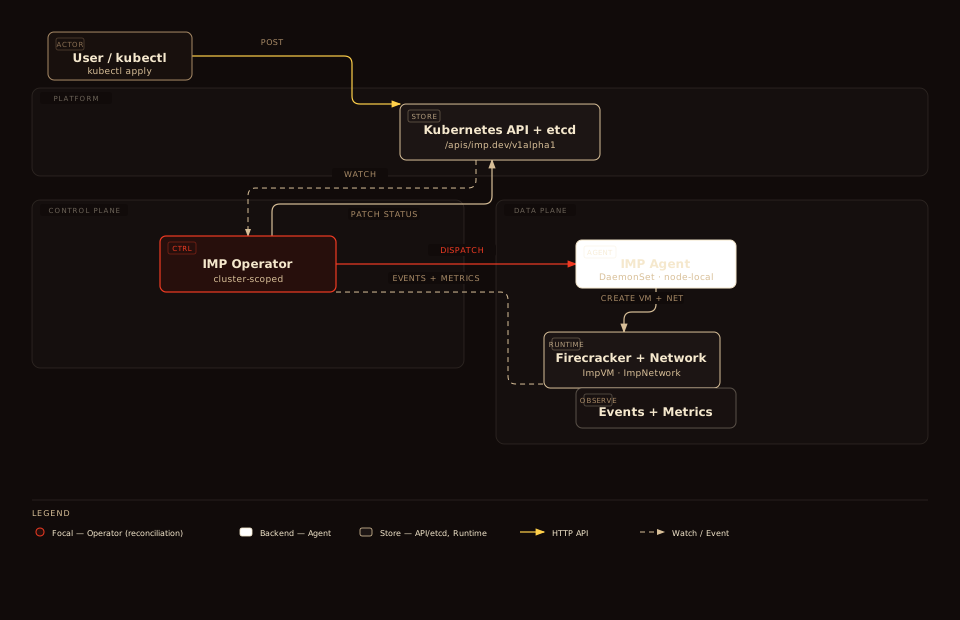
Operator reconciles cluster-scoped state; Agent runs node-local Firecracker and networking. View standalone · dark · Click diagram to enlarge.
System Context (L1)
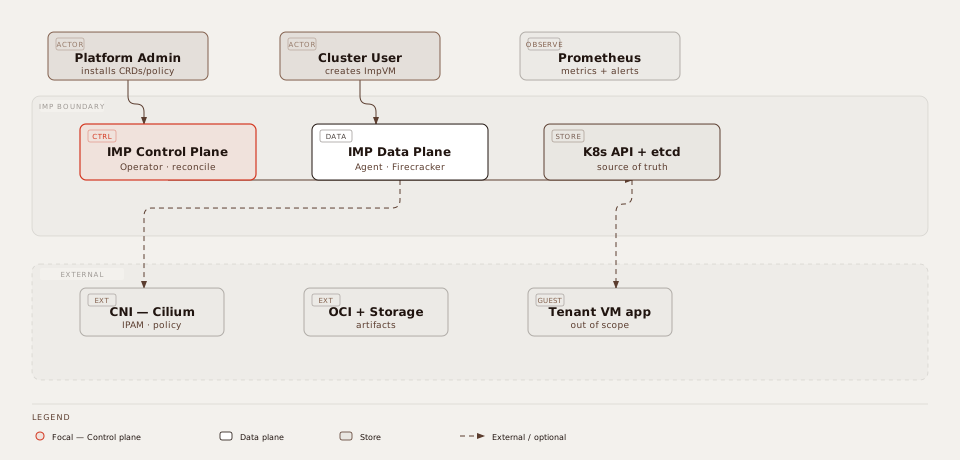
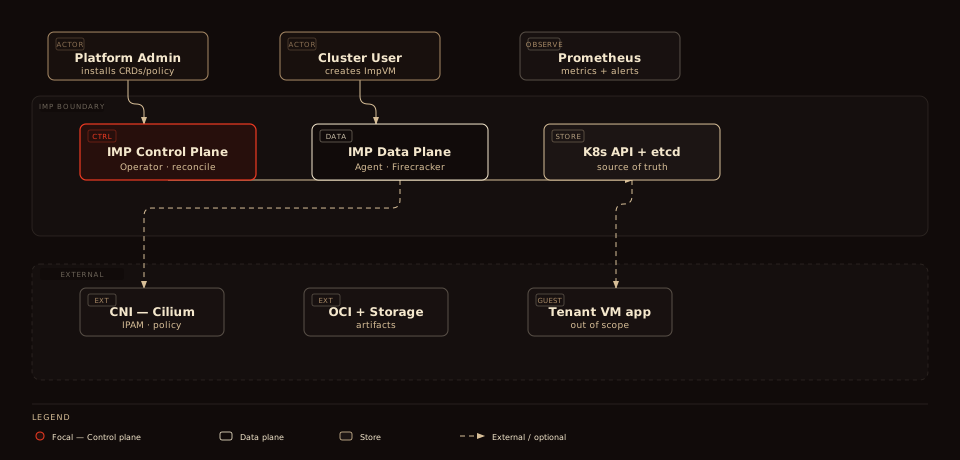
View standalone · dark · Click to enlarge.
Containers (L2)
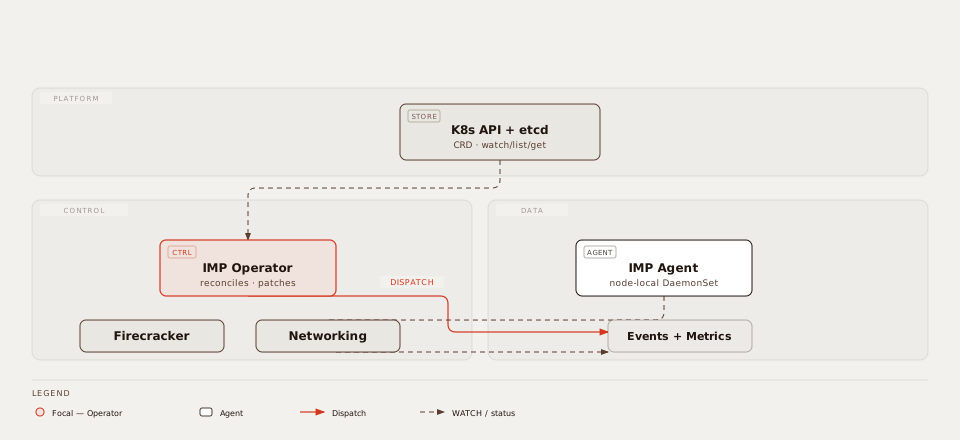
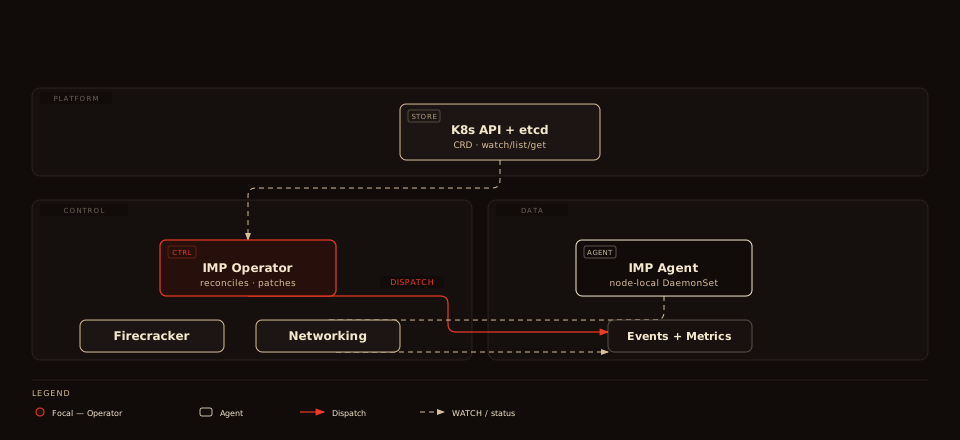
View standalone · dark · Click to enlarge.
Control Plane (L3)
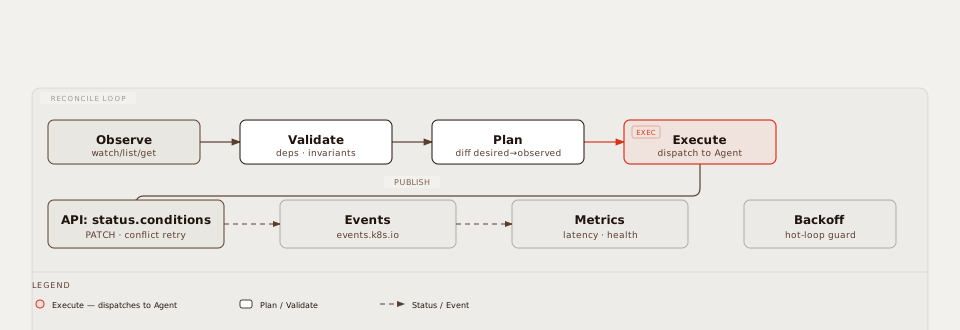
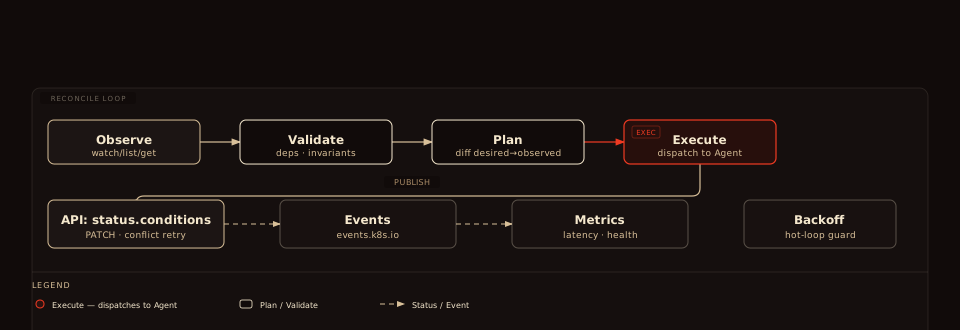
View standalone · dark · Click to enlarge.
Data Plane (L3)
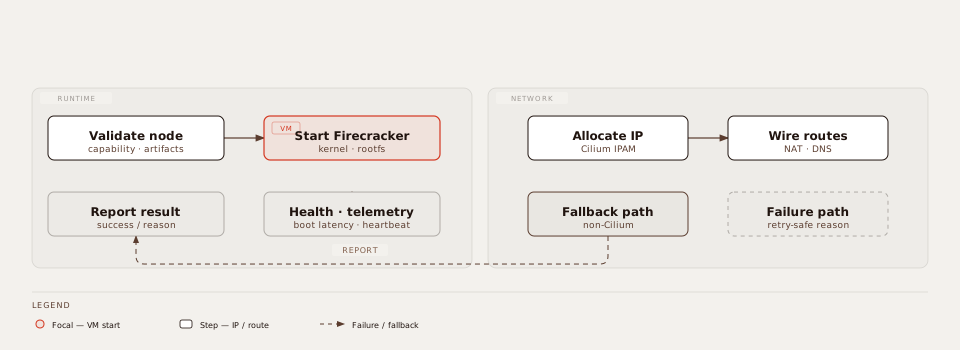
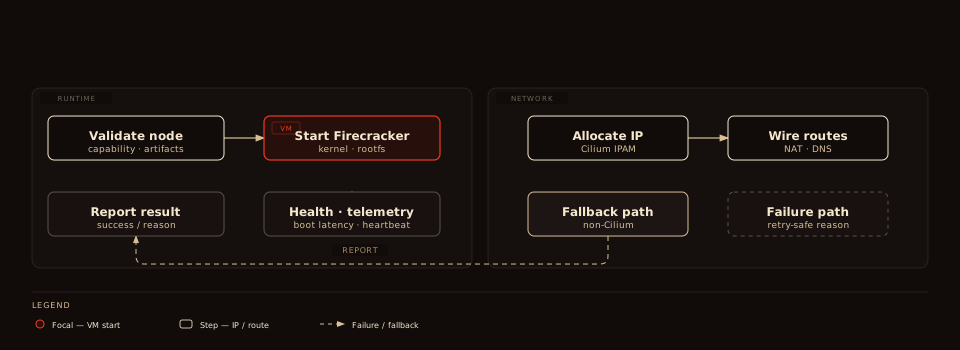
View standalone · dark · Click to enlarge.
Kubernetes E2E Sequence
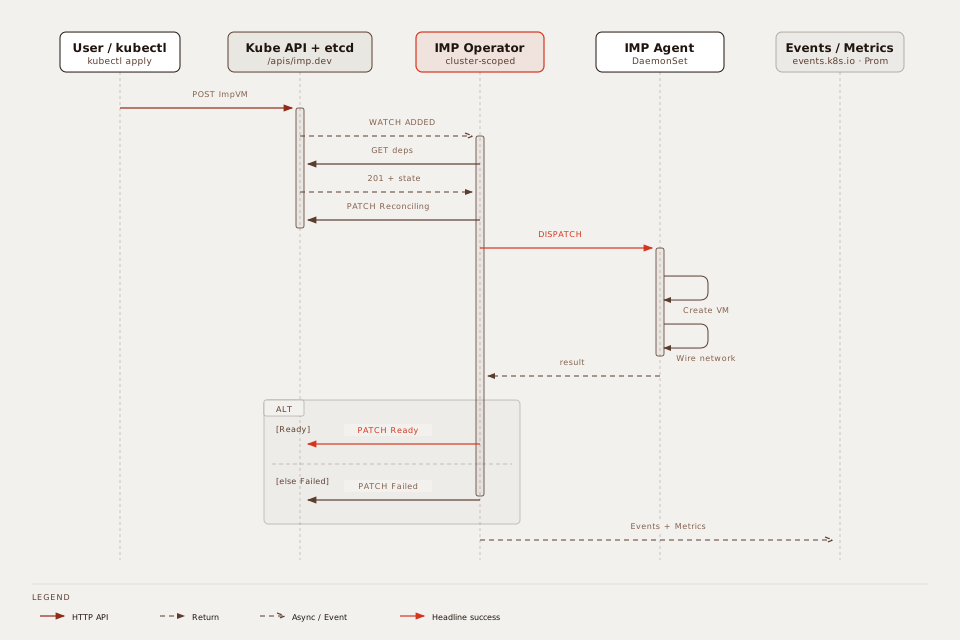
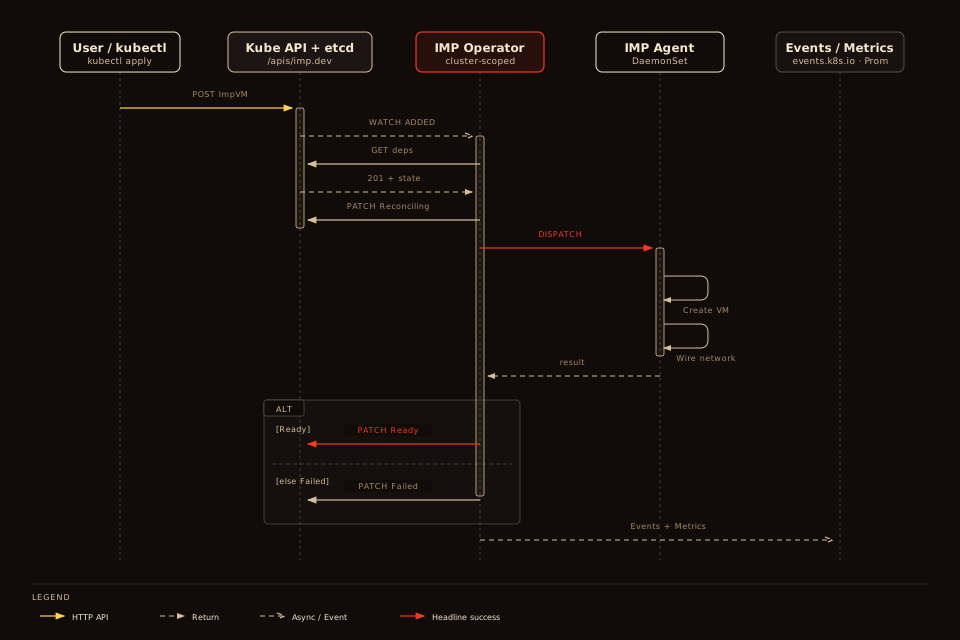
5 lifelines, 12 messages, 1 ALT (Ready / Failed). View standalone · dark · Click to enlarge. Legacy:
k8s-e2e-sequence.excalidraw.legacy.svg.Data Flow Snapshot
- User applies CRD objects.
- Operator reconciles desired state and schedules operations.
- Agent executes host/runtime work and publishes status.
- Metrics and status fields expose platform health and timing.
Platform Positioning
Imp runs Firecracker microVMs on Kubernetes. An operator and node agent expose VM lifecycle as declarative resources. Core Imp has no sandbox dependency.
imp-sandbox is an optional add-on. It adds tenancy tiers, gateway controls, and per-sandbox tokens to ImpVM and ImpNetwork. Use it for isolated tenant sandboxes that run AI agents or untrusted code.
See Sandbox Overview for when to use base Imp vs. sandbox, and Sandbox Install for the separate chart.
Operational Notes
- Cilium is the preferred networking path.
- Fallback networking is available for non-Cilium environments.
- Deployment pinning (image tags/Helm values) is recommended for repeatability.
imp-runtimeDaemonSet usesupdateStrategy: OnDelete. It never rolls automatically. See Manual: Day 0.- Practical runbooks and day-to-day guidance are in /manual.